Get API Key - OpenAI
Follow these steps to get your OpenAI API key. This takes about 5 minutes.
Go to the OpenAI Platform
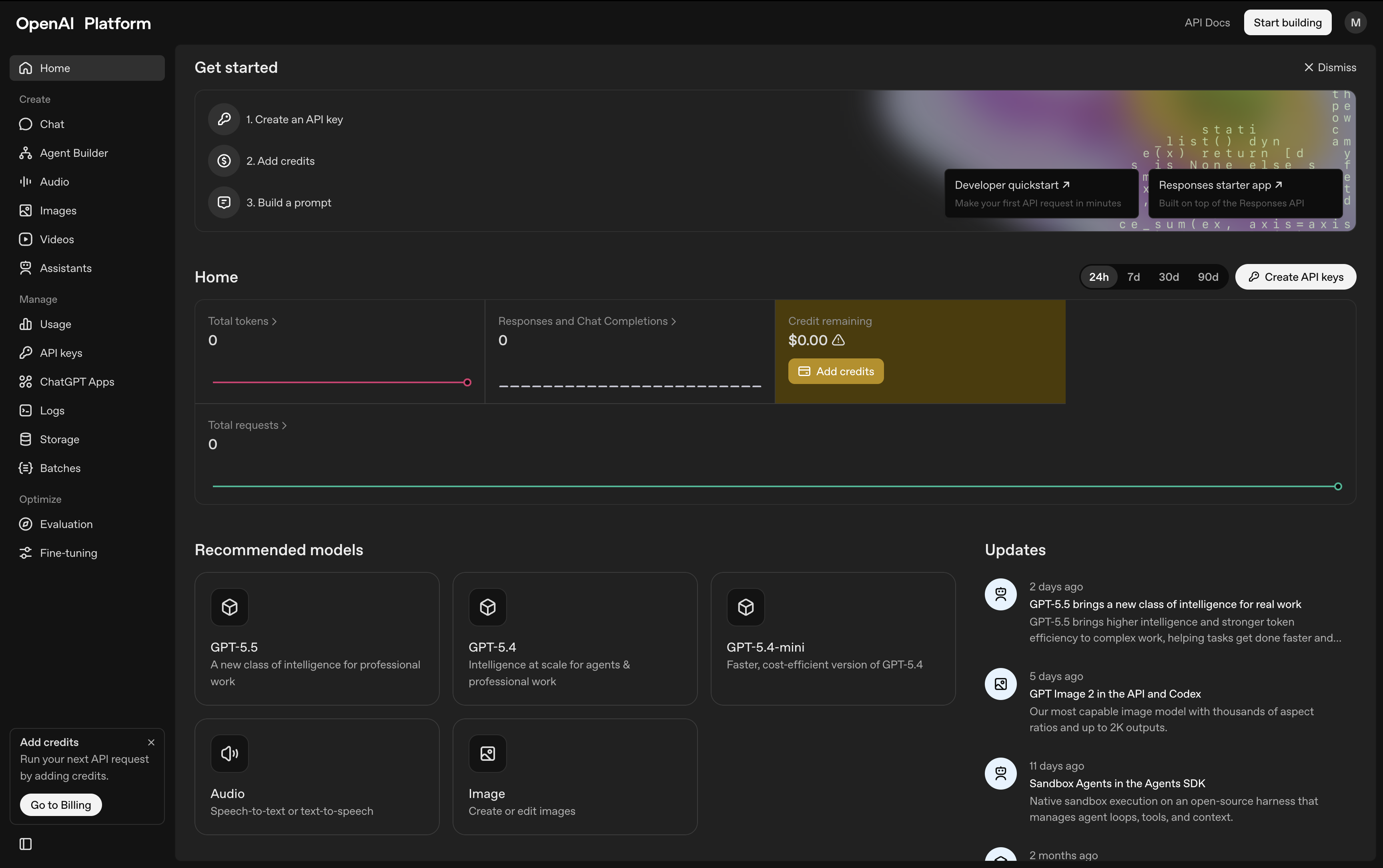
The OpenAI Platform dashboard at platform.openai.com. Notice the sidebar with API keys, usage, and billing options. This is NOT chatgpt.com — make sure you see 'OpenAI Platform' in the top left.
Open platform.openai.com in your browser. This is the developer platform — it's different from ChatGPT. Log in with your existing OpenAI account or create a new one. You can sign up with email or Google.
After logging in, you'll see the API dashboard shown above. If you're redirected to ChatGPT, go back to platform.openai.com. In the left sidebar, click on API Keys. You can also go directly to platform.openai.com/api-keys.
Create a new secret key
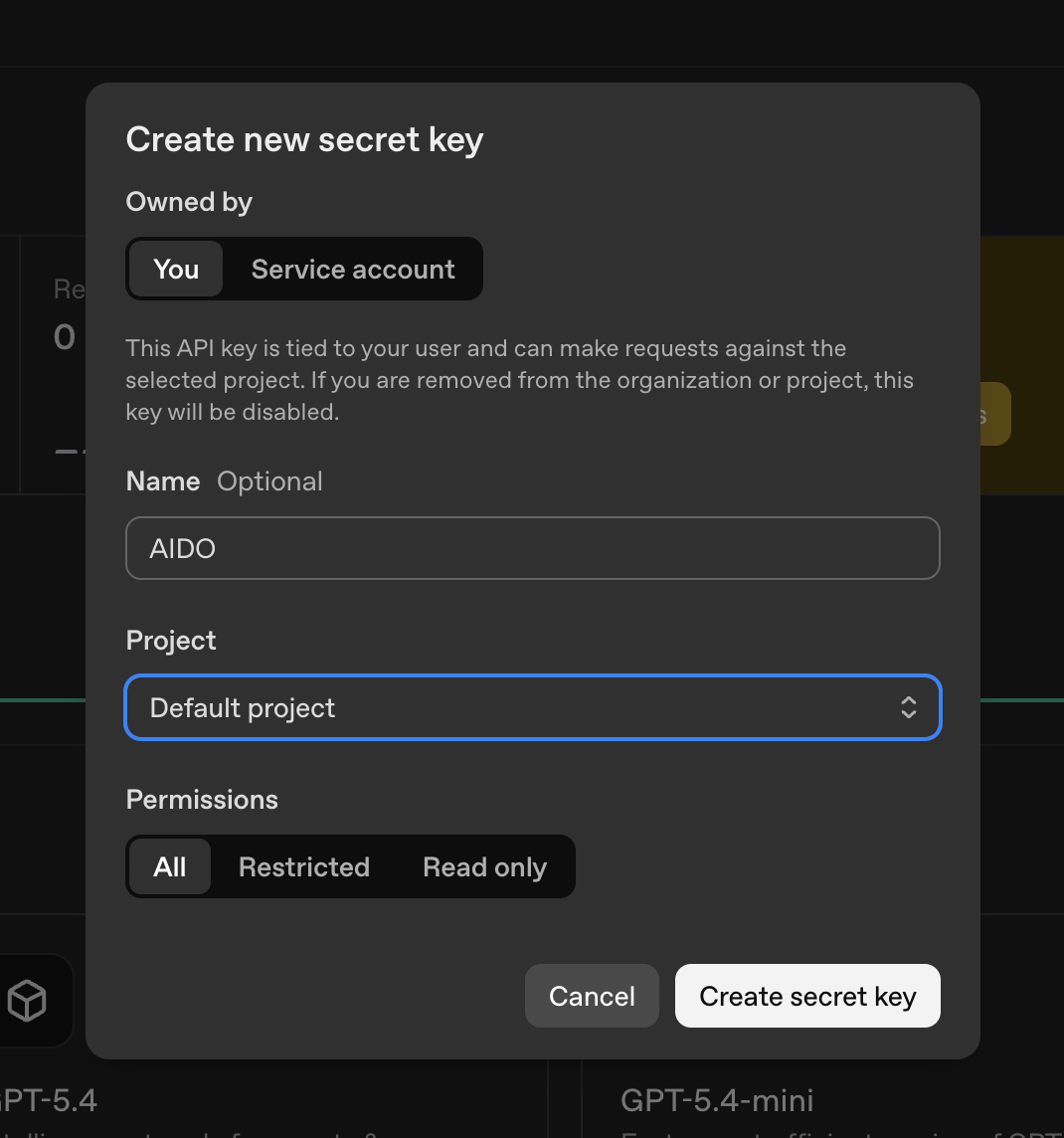
The 'Create new secret key' dialog. Enter a name like 'AIDO', keep the project as 'Default project', and set permissions to 'All'. Then click 'Create secret key'.
Click the Create new secret key button on the API Keys page. In the dialog, enter a name for your key — for example, AIDO. Keep the project set to Default project and permissions to All. Then click Create secret key.
Copy the key immediately
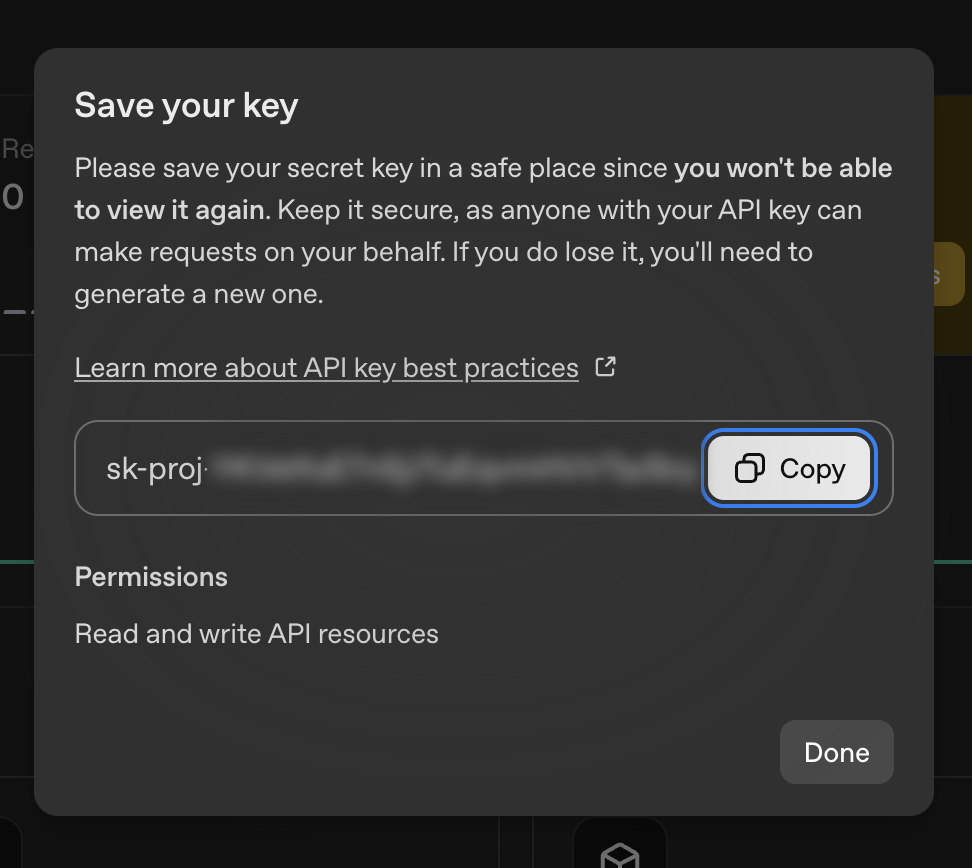
The 'Save your key' dialog showing your new API key. Click the Copy button to copy it. You won't be able to view this key again after closing this dialog.
Your key will be displayed once. Click the Copy button and paste it somewhere safe. You won't be able to see it again after closing this dialog.
Add a payment method
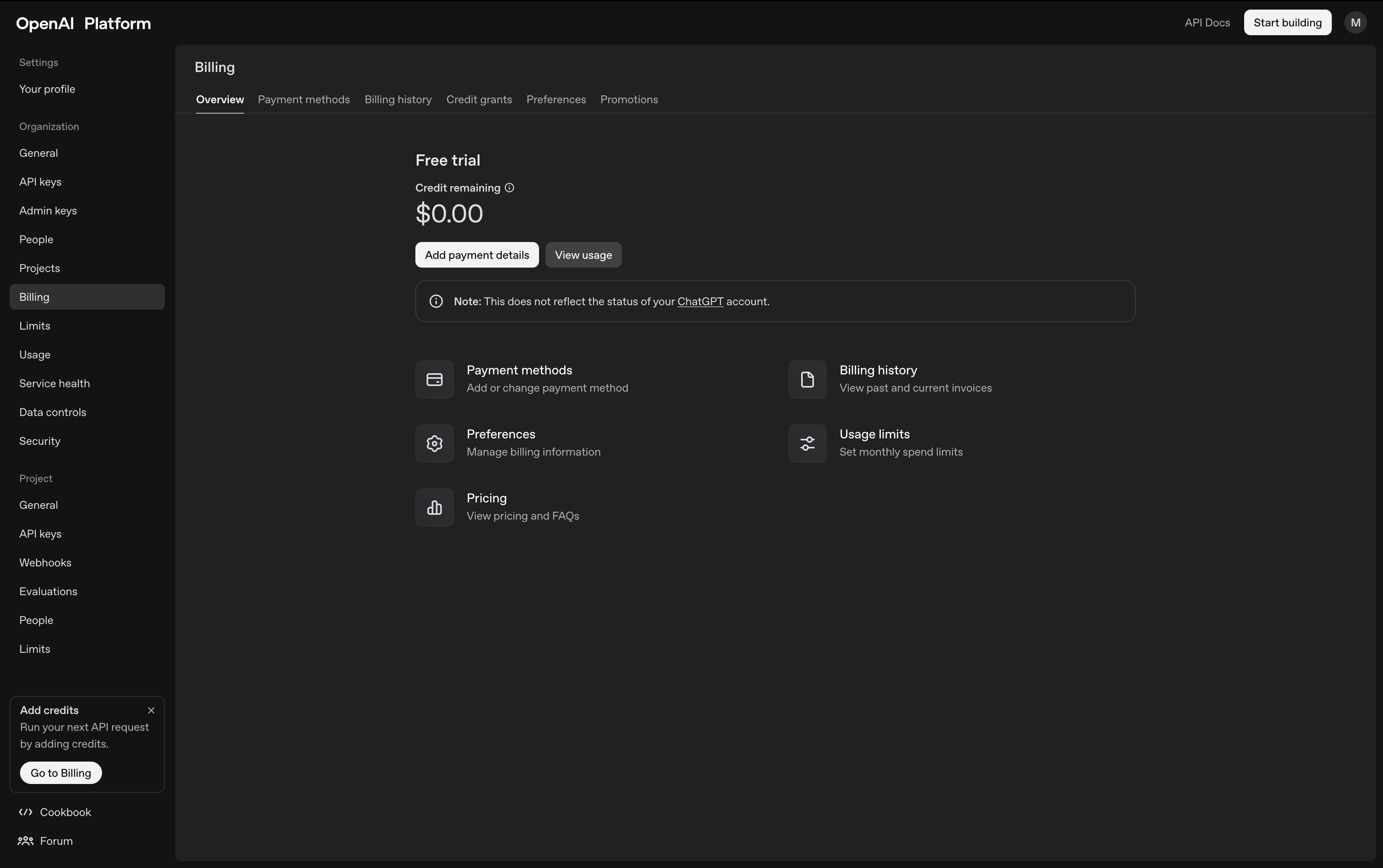
The Billing page under Settings. Click 'Add payment details' to add your payment method. The OpenAI API is pay-per-use — your key won't work until billing is set up.
Your API key won't work until you add a payment method. In the sidebar, go to Settings then Billing, or go directly to the billing page. Click Add payment details to add your credit card. The OpenAI API is pay-per-use.